01
Setup Tables and Relationships
Install SnowCreator from the Snowflake Marketplace, pick the database and tables (or Semantic Views) you want to provide as CRUD UI, API or MCP Server.
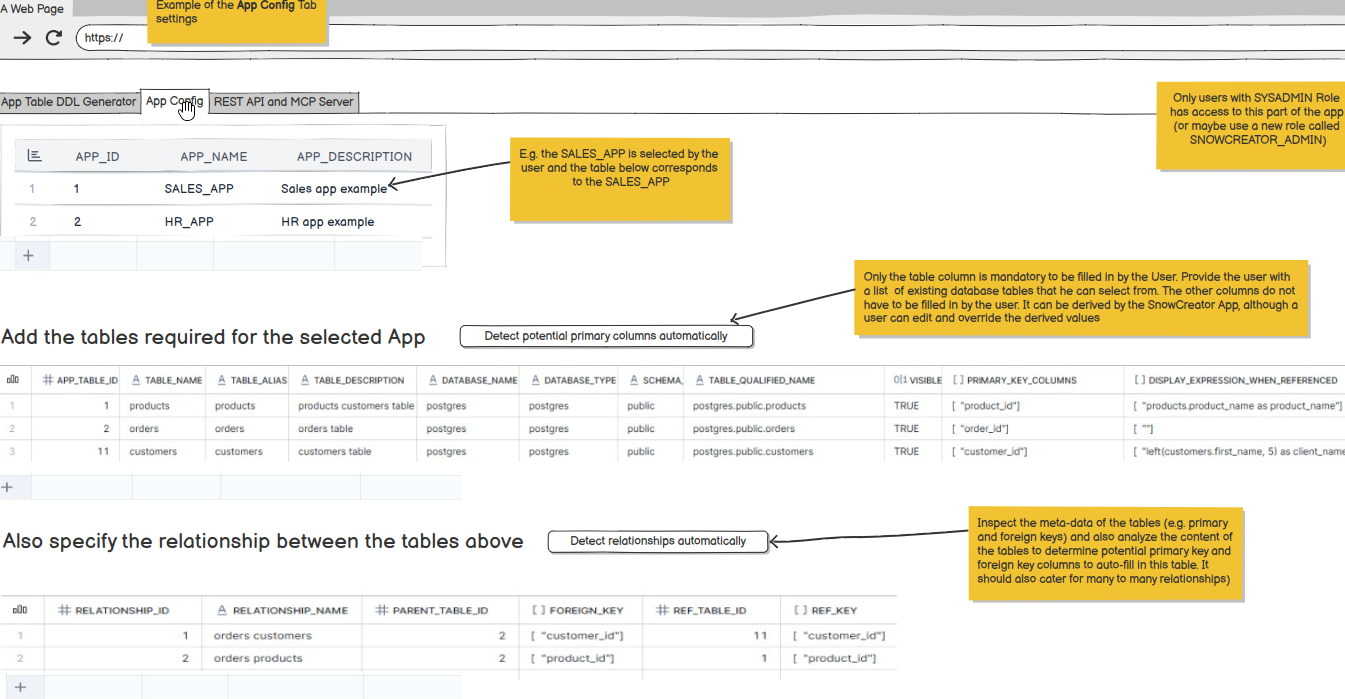
Turn your Snowflake tables (and stages) into a production-ready CRUD UI, REST API and MCP Server.
Install SnowCreator from the Snowflake Marketplace, pick the database and tables (or Semantic Views) you want to provide as CRUD UI, API or MCP Server.
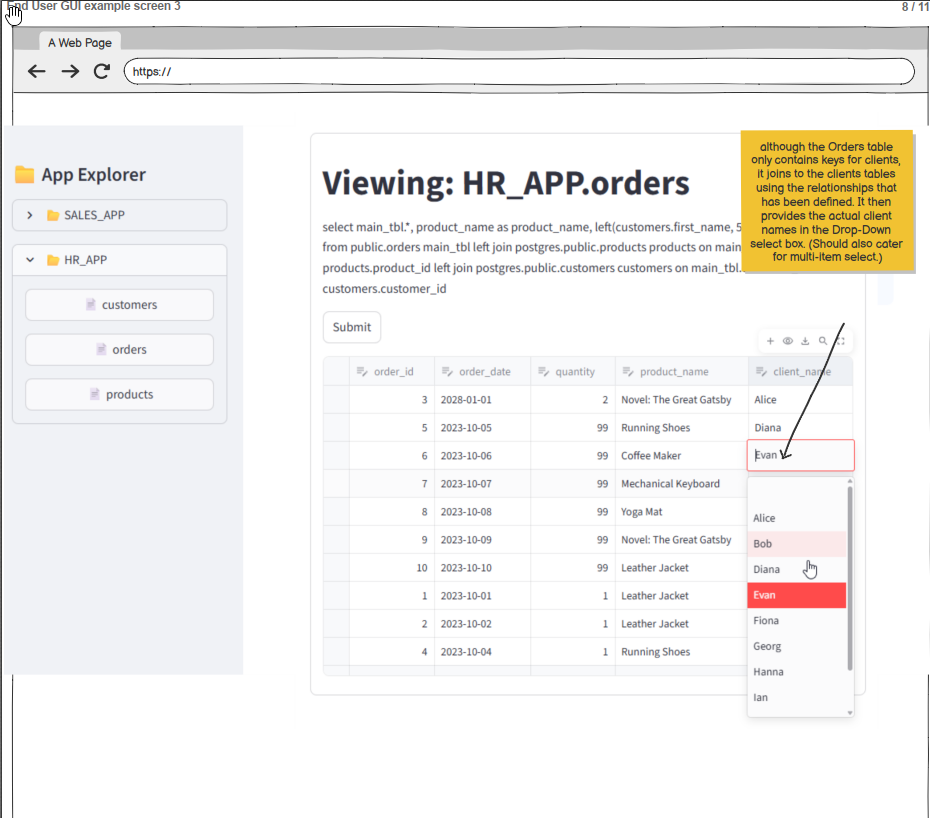
End-users get a fully functional, production-ready CRUD interface for the selected tables — create, read, update and delete records.
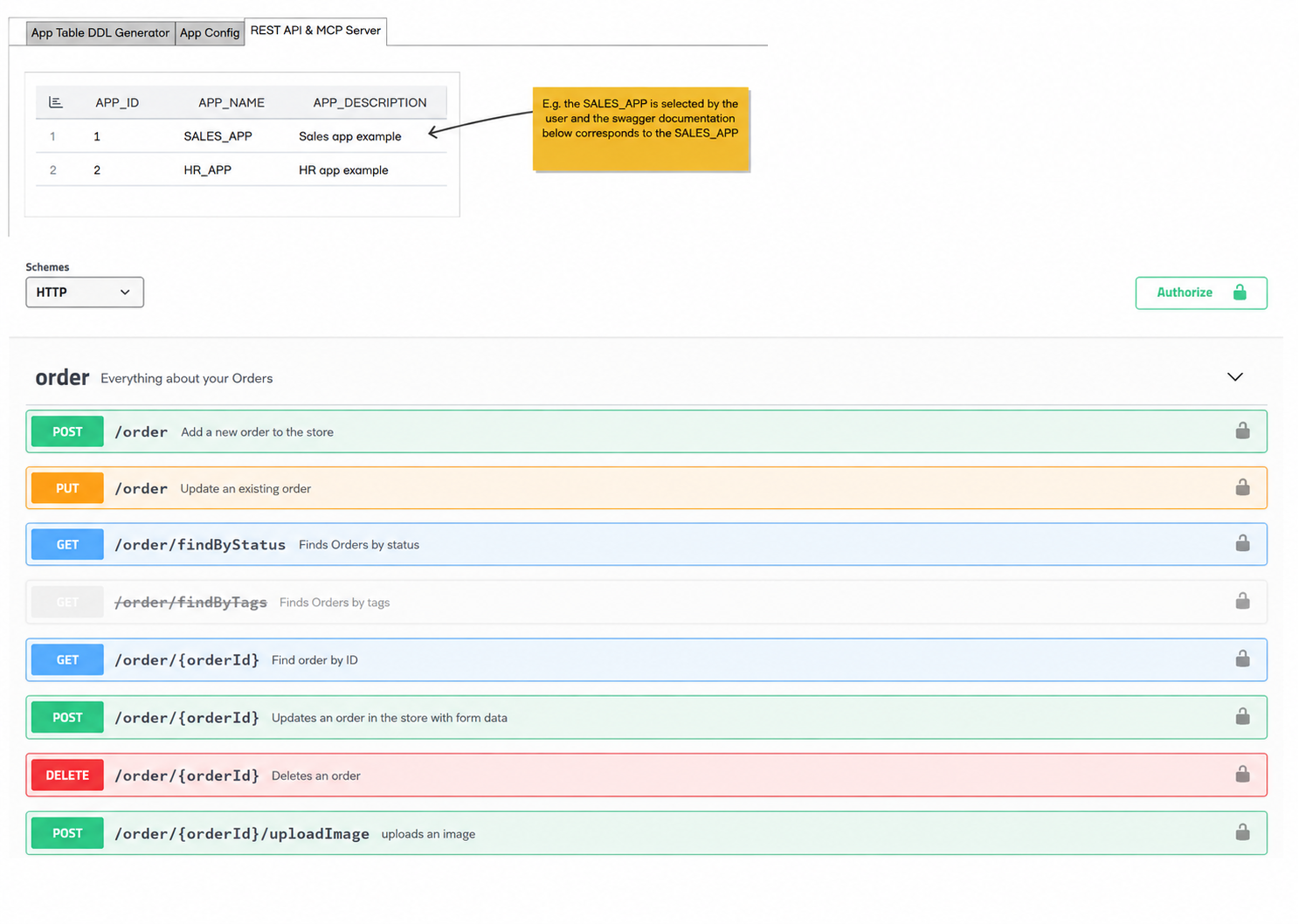
App developers consume the generated Swagger / REST API to build bespoke front-ends, integrations and automations on top of governed Snowflake tables.
AI agents connect to the generated MCP Server and gain typed tools to view, create and edit records.
